
Minimum Quantity Lubrication (MQL) in myCNC
Tags: myCNC, MQL, CNC
myCNC software allows the user to implement MQL, or Minimum Quantity Lubrication, on their machines.
MQL is a process in which tiny drops of high-quality aerosol lubricant are sprayed over the cutting tool and the material, providing lubrication at extremely low rates of lubricant use. This allows for a greatly reduced fluid usage (with the workpiece being nearly dry throughout the lubrication process) as opposed to typical flood setups, resulting in a greener environmental impact and eliminating the need for fluid disposal.
MQL is available in myCNC software by going into the Step/Dir Coolant control tab within User Settings, where you can set the coolant rate:
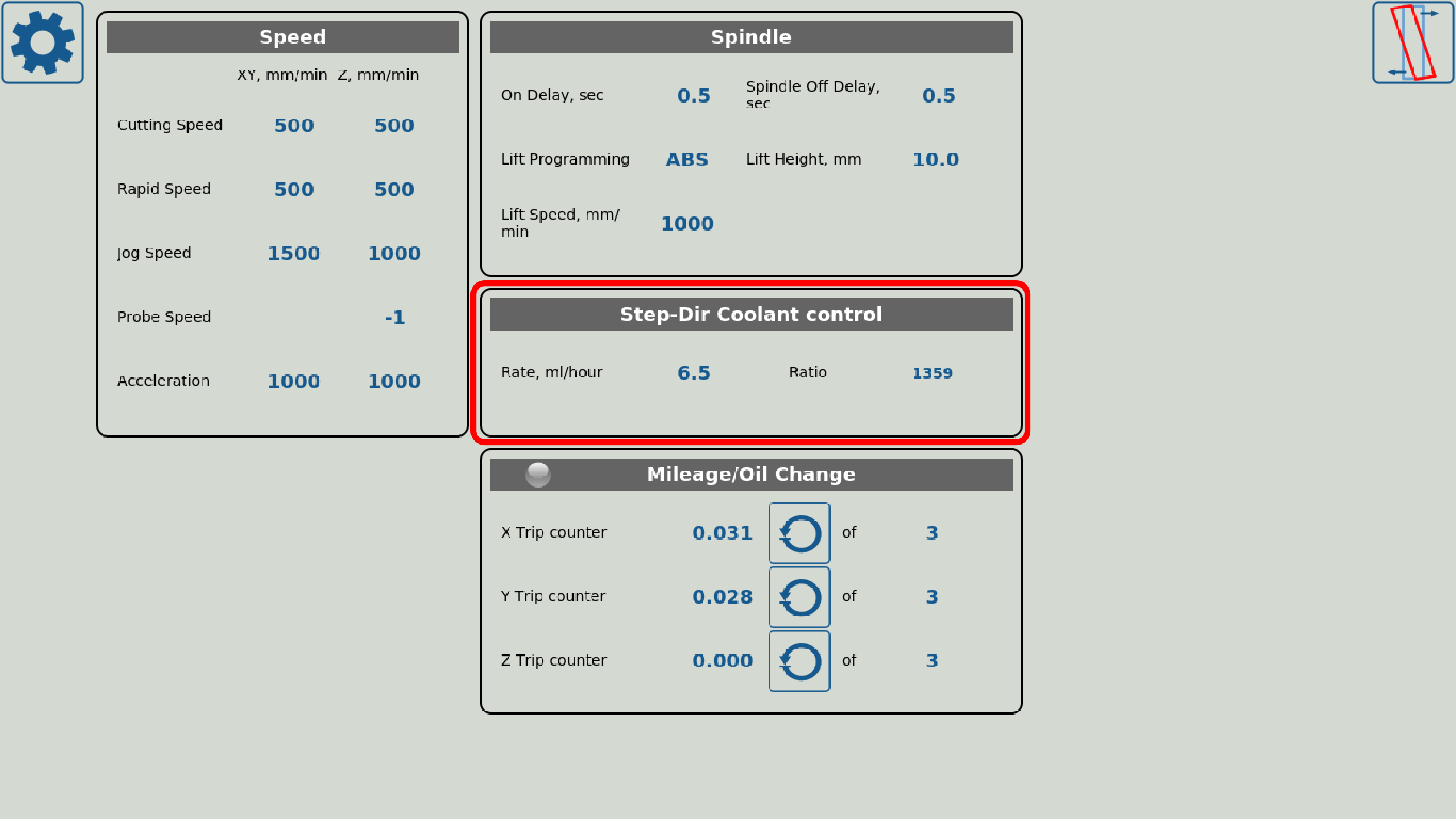
The fine-tuning is done through the built-in PLC procedures, with the setup described in detail in the Independent Pulse Generator manual. To find out more about Minimum Quantity Lubrication, visit the MQL manual on our Documentation wiki.
Explore myCNC Software
This is part of the core feature set of myCNC control software. If you’re working on something similar, we’d love to hear about your machine.